The Meal Prep Buddy

Recipes in.
Groceries sorted.

Paste any recipe link and Pip turns it into a shopping list that's already organized by aisle — with your cookbook, macros, and your family's list all in one place.

Open Pip

Runs in your browser — nothing to install.

From recipe to cart in three steps

No typing out ingredients. No rearranging the list in the store.

Step 1

Paste a recipe link

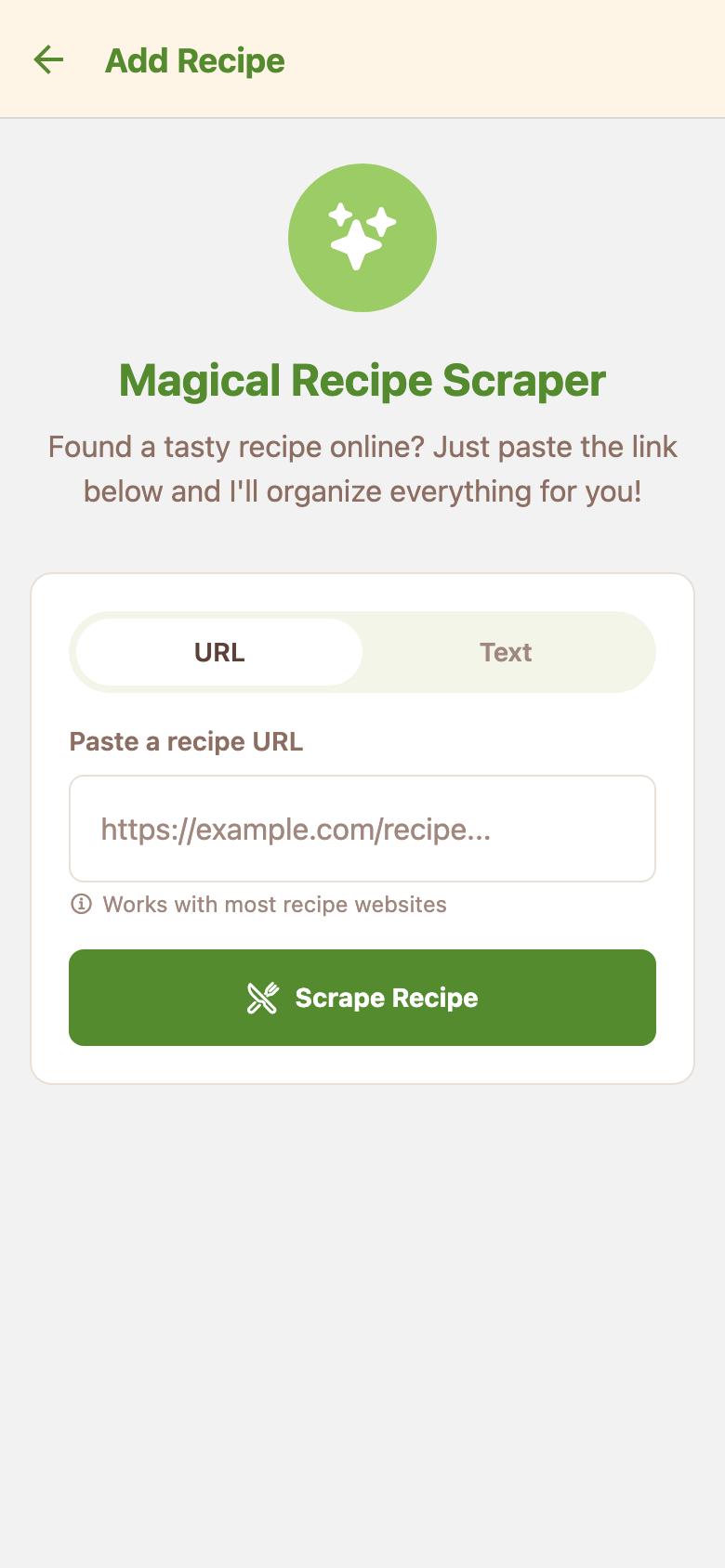
Drop in a link from any recipe site — or paste the recipe as plain text.

Step 2

Pip reads it for you

Ingredients, quantities, and servings are pulled out and tidied up automatically.

Step 3

Shop a sorted list

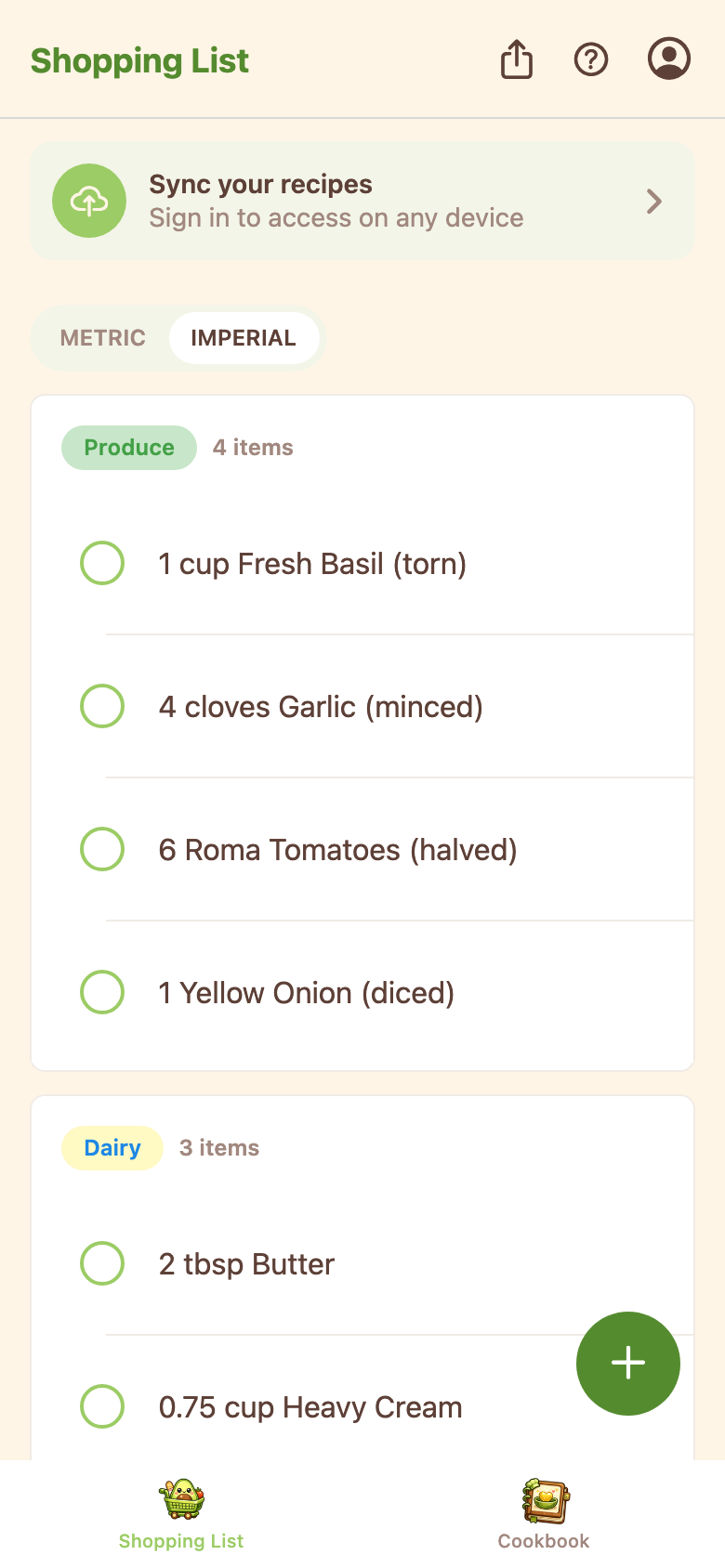
Everything lands on your shopping list grouped by aisle, ready to check off.

Everything for the week's cooking

Pip keeps the whole loop in one place — saving recipes, planning meals, and shopping for them.

Cookbook

Every recipe you save, one shelf

Imported recipes live in your cookbook with cuisine and protein tags, ready to send to the list again next week.

Nutrition

Macros at a glance

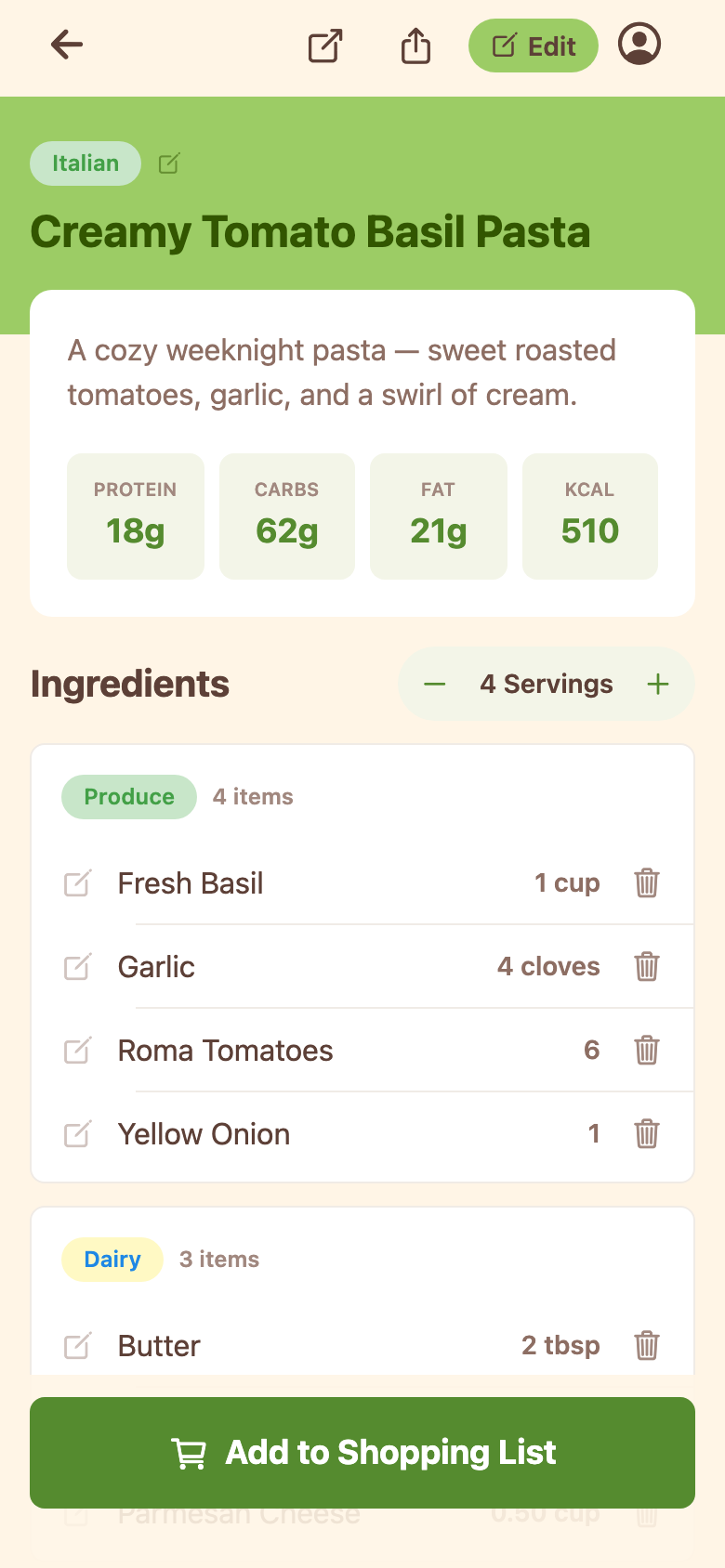
Protein, carbs, fat, and calories are estimated per serving for every recipe you import.

Family sharing

One list for the household

Share your list and cookbook with your family — everyone sees changes as they happen.

Sharing

Send a recipe with a link

Share any recipe as a link — whoever opens it gets their own copy, ingredients and all.

See it in action

Real screens from the app — the list, the recipe, and the scraper that fills them.

Pip shopping list with ingredients grouped into Produce and Dairy category cards
Your list, grouped by aisle
Pip recipe page for Creamy Tomato Basil Pasta showing macros per serving and grouped ingredients
Every recipe with macros per serving
Pip add-recipe screen where you paste a recipe URL to import it
Paste a link, get the recipe

Dinner plans start here

Open Pip and paste your first recipe — it takes about a minute.

Open Pip